Changelog

Follow new updates and improvements to BFG.

BFG Release Notes 2026.01.1

New Feature

FFL Import: Enhanced Address Management and Notifications

This release enhances FFL import functionality by improving address handling, increasing transparency for updates, and giving manufacturers more control over address changes.

  • Automatic Address Updates for Stores Not Managed by Retailers

    Stores not yet managed by retailers continue to receive automatic address updates, ensuring their information stays accurate.

  • Address Management for Retailer-Managed Stores

    Stores that are managed by retailers cannot have their addresses updated automatically. Any attempt to change the address will not be applied.

  • Notifications for Manufacturers

    Manufacturers will be alerted by email and in-app whenever a store’s address is updated for stores not yet managed by retailers.
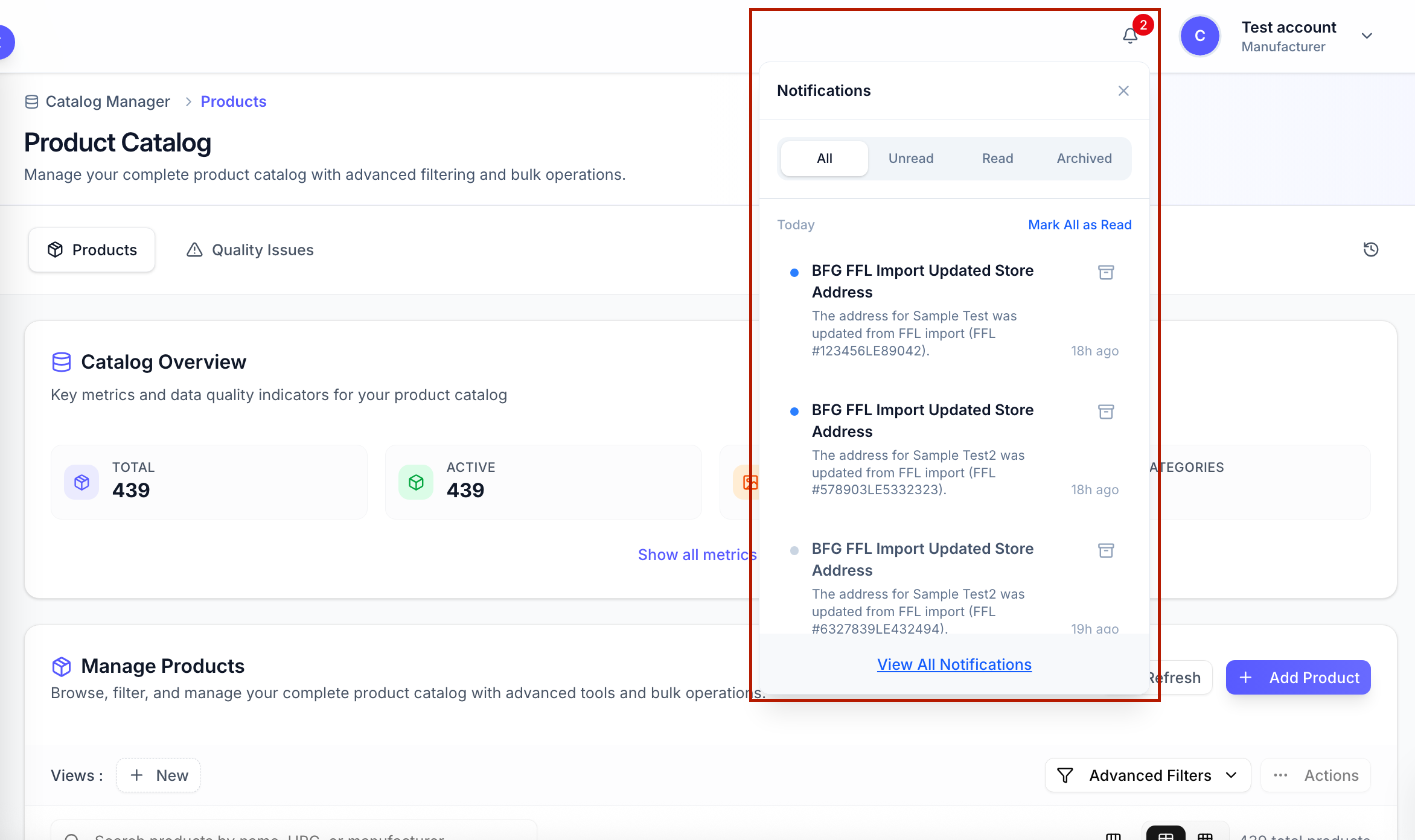
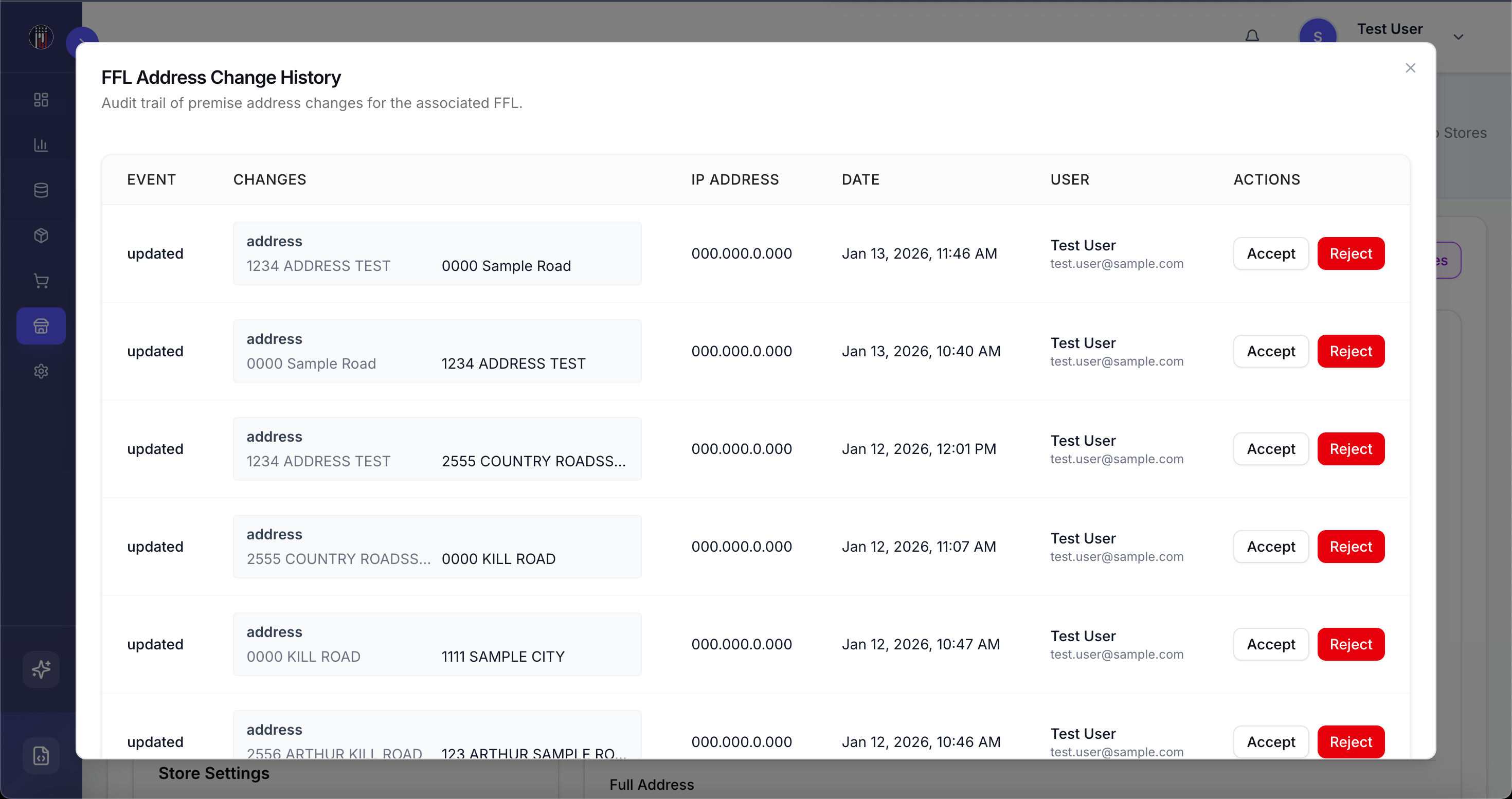
  • Manufacturer-Managed Store Addresses via FFL Address Changes

    Manufacturers who are allowed to manage their own list of stores can access address updates, and any attempted changes are logged in FFL Address Changes, including who initiated the change and the source of the update. All address updates require manufacturer approval and apply only to the specific retailer–manufacturer relationship, so global store addresses and other manufacturers remain unaffected.
Manufacturer-Managed Store Address via Store Import

Manufacturers with permission to manage store addresses can now import stores and override existing addresses. This allows manufacturers to manage and update store addresses through store import, applying changes only to the specific retailer–manufacturer relationship while leaving global store addresses and other manufacturers unaffected.

Enhancements

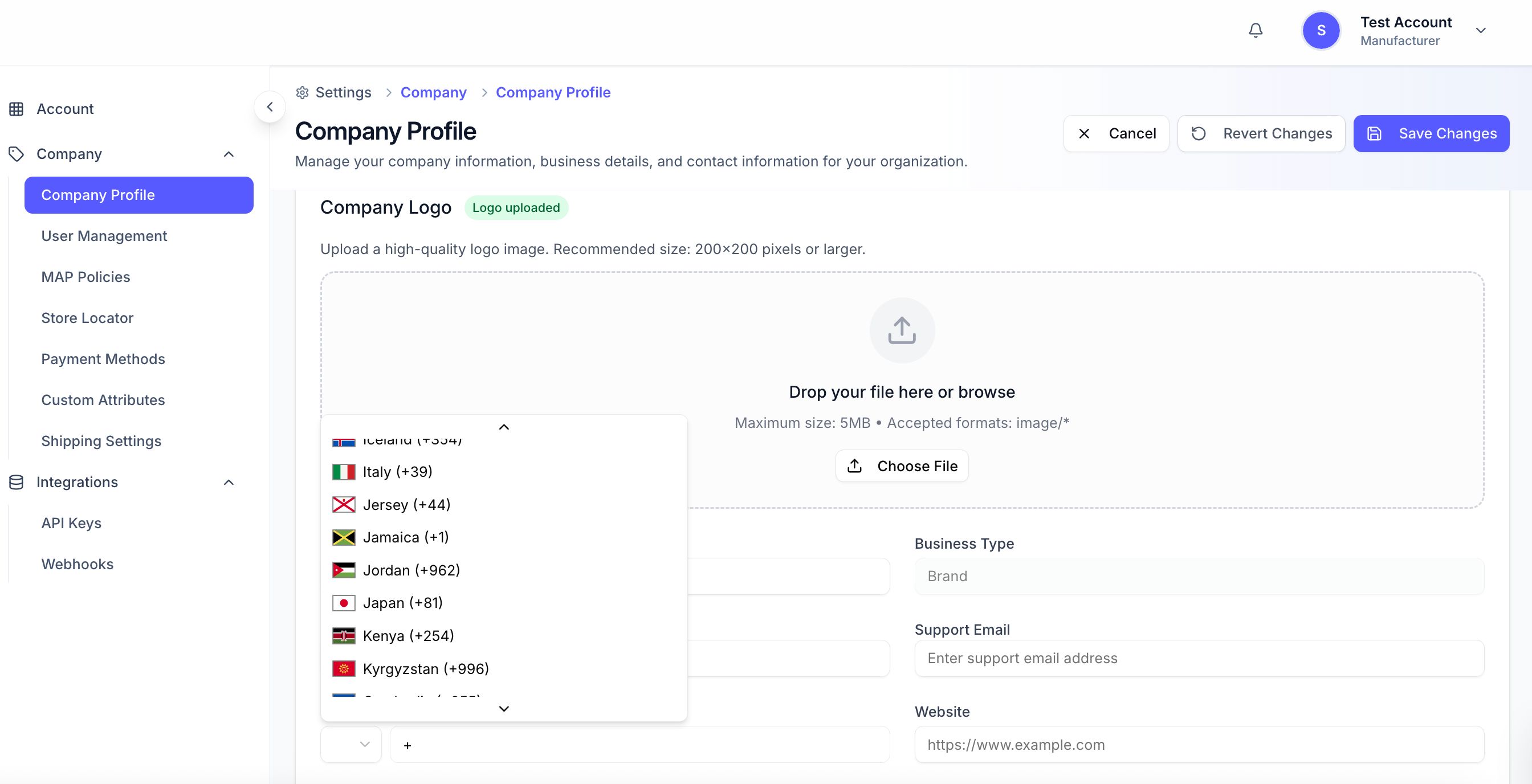
Support for International Phone Numbers with Country Codes

The phone number field now supports international numbers and allows users to select a country code from a dropdown, ensuring that all phone numbers are entered in a consistent, standardized format.
Daily Check Removes Coreware as Inventory Source from Inactive Stores

A daily check verifies Coreware or CoreSTORE accounts, and Coreware is automatically removed as the inventory source for stores that are inactive or have canceled their CoreSTORE subscription.

Accurate Row References in Store Import

Store Import row numbering now correctly counts the first data record as Row 2. Validation errors and import summaries accurately reference the corresponding rows, reducing confusion when reviewing import files.

Improved Shipping and Order Flexibility

  • EasyPost Sub-Account Management: Manufacturers can now manage their own shipping accounts via EasyPost sub-accounts and manage their shipping account information and carriers.

  • Manual Shipment Entry Users can manually add shipments using tracking numbers from other carriers, select specific order items, and monitor multiple shipments per order with automatic status updates and clickable tracking links.

  • Flexible Ordering & Partial Shipment Charges Users can place pre-order, backorder, or standard items, with charges now calculated per shipment for backorder and pre-order items instead of for the entire order.
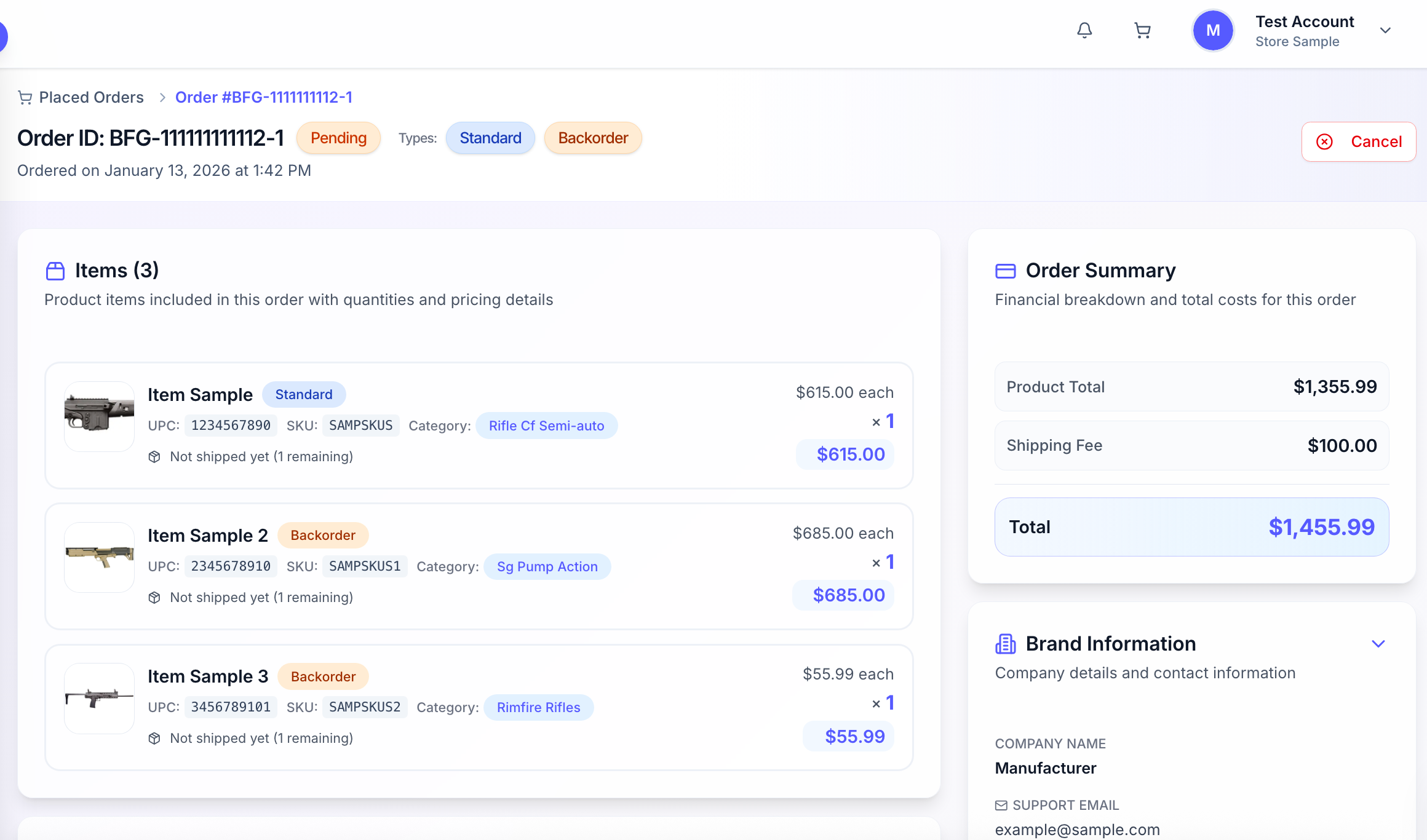
Pre-Order Items Now Supported with Defined Delivery

A new pre-order flag has been introduced, functioning similarly to backorder but with a defined delivery timeframe. Unlike backorder items, which have an undefined delivery date, pre-order items indicate an expected delivery (e.g., 30 days). The checkout and fulfillment flow treats pre-orders like backorders, and backorder items’ status now updates when shipped.

Resolved Issues

  • Fixed an issue where store imports failed with “The name has already been taken.” The system now provides clear messages for duplicates or validation conflicts, ensuring valid stores can be imported.

NewImprovedFixed

BFG Release Notes 2025.11.4

New Feature

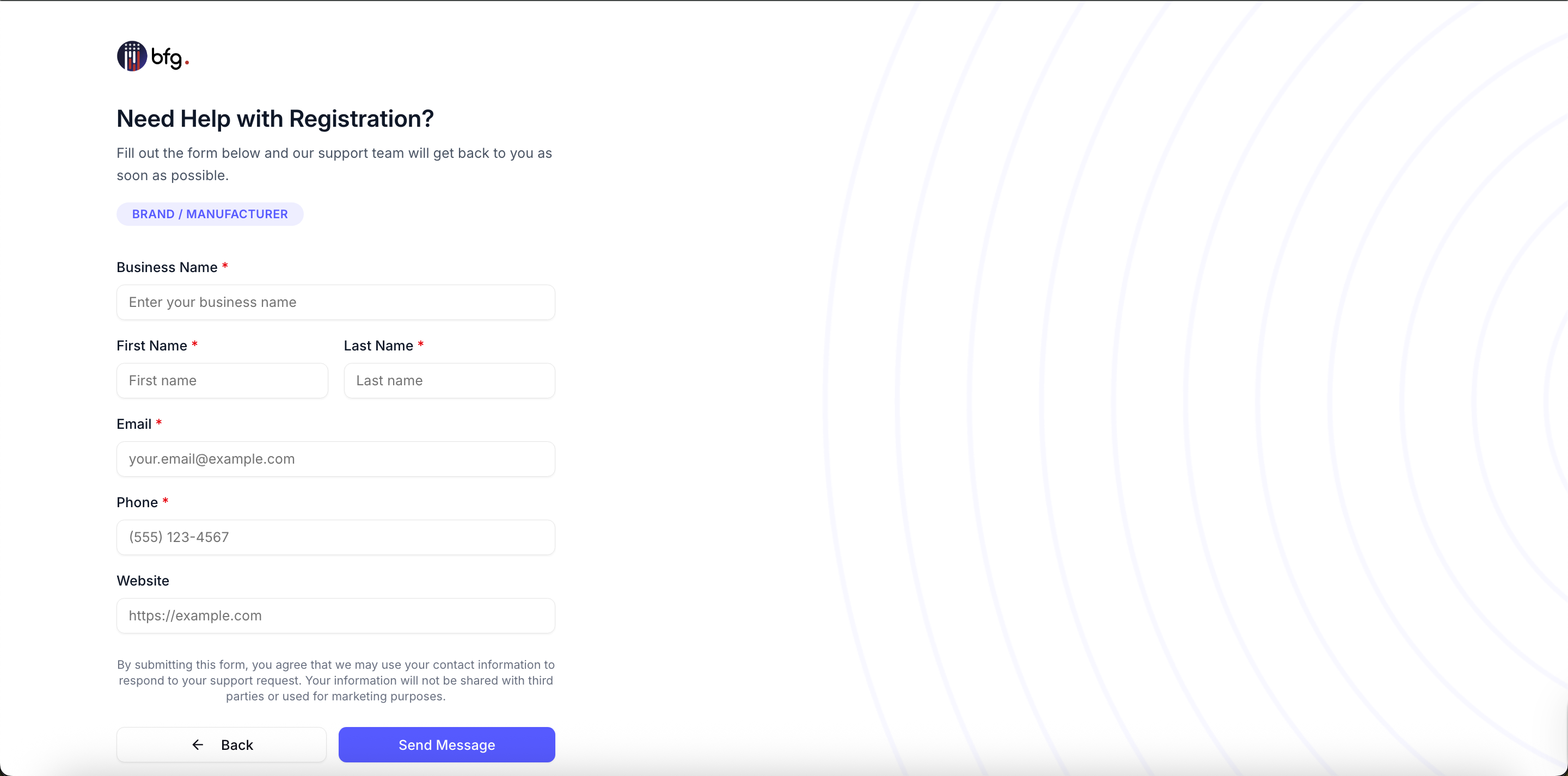
Introduced Registration Support Form for Retailers and Manufacturers

Prospective retailers and manufacturers who are unable to complete self-registration can now submit a company setup request via a support form. This alternative onboarding path supports businesses without immediate FFL information, manufacturers lacking FFL numbers, users encountering registration issues, and organizations needing manual account configuration.

Implemented Manufacturer Category Filtering and Assignment

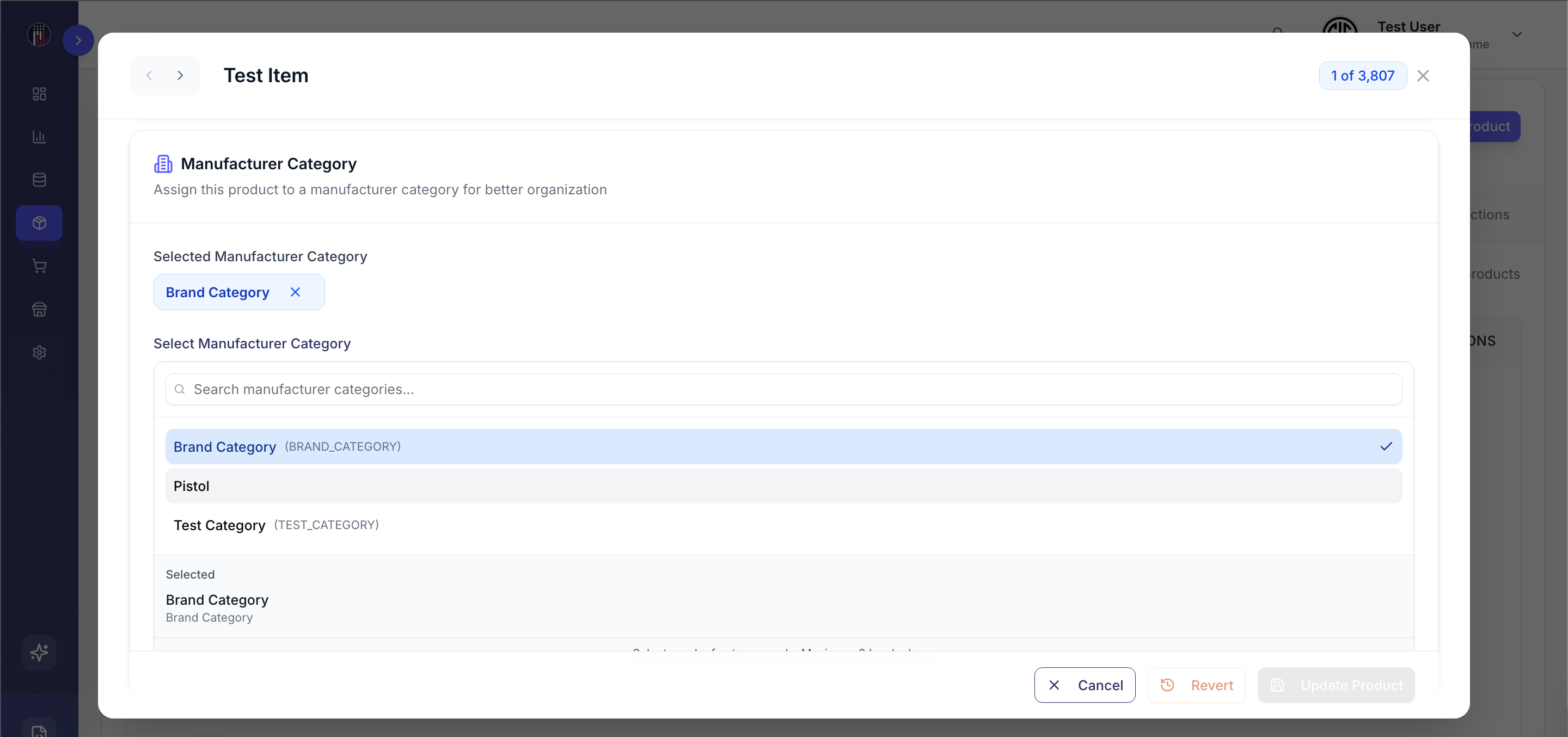
You can now assign Manufacturer Categories to products and filter the product list by these categories. Users can manage Manufacturer Categories in the Product Attributes section and use the new filter on the All Products page to quickly find products by manufacturer category.

Enhancements

Stock Message Urgency Enhancement

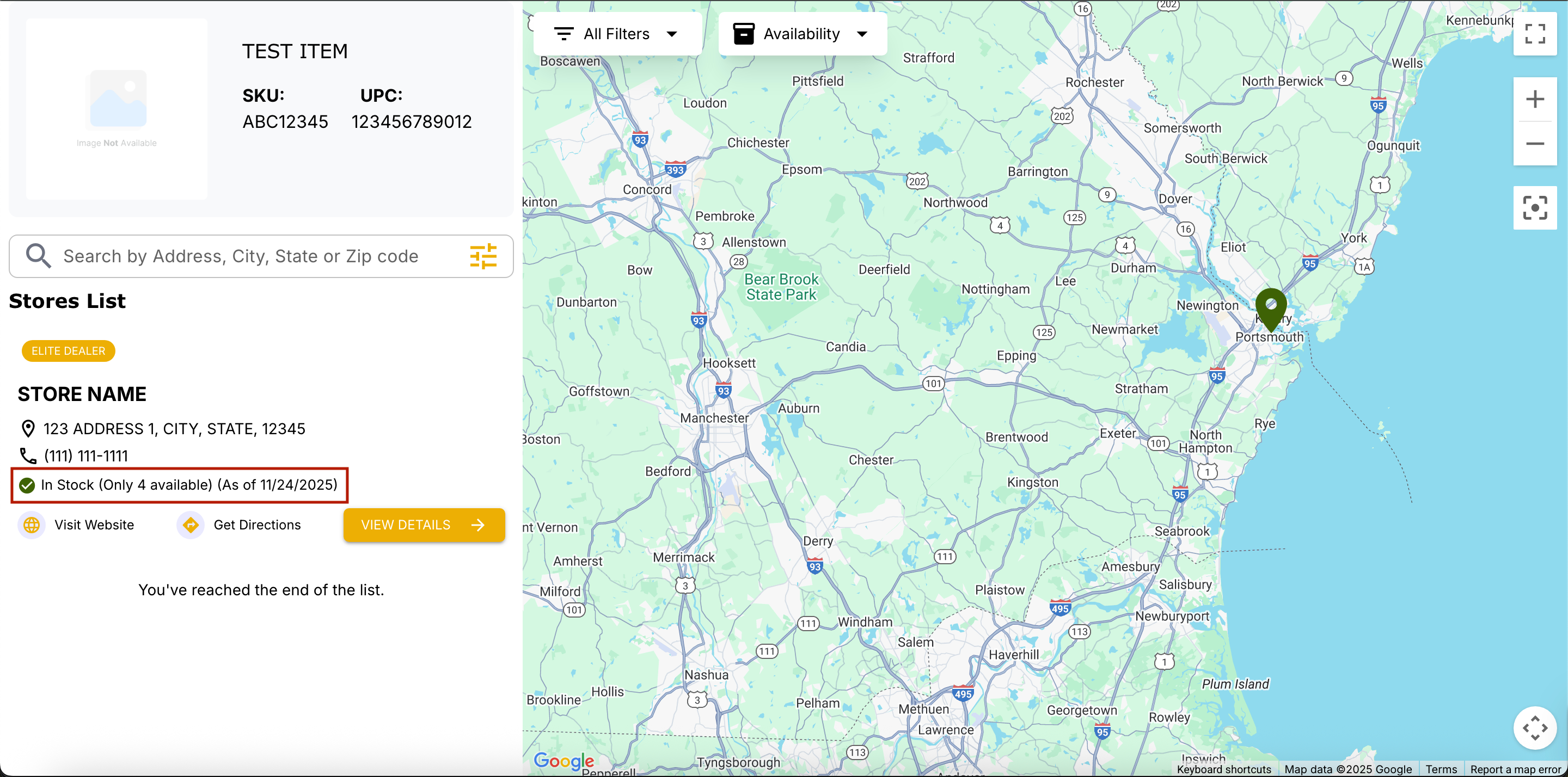
The “Only X available” stock message can now display independently of the Use Low Stock toggle. Users can choose to show urgency messaging even when the low-stock toggle is disabled, making limited inventory more visible to customers and giving flexible control over stock notifications.

Deleted Stores Included in Import Report

The Import Store Report now displays stores that were deleted during the import process. For each deleted store, both the reason for deletion and a “Deleted” status are shown. This provides users with complete transparency regarding all affected stores, while leaving successfully imported stores unaffected.

Improved Map Pin Marker UI

Map pin markers and logo icons have been resized and repositioned for better alignment, with logos now centered within the pins for improved map clarity.

Enhanced Connection Timestamp Updates

The last_connected_at timestamp under Store Inventory Sources now updates both when a Technology Partner sends an inventory update and when a daily heartbeat is received. This enhancement ensures the timestamp reflects true system connectivity, rather than relying solely on inventory activity, providing more accurate monitoring of partner status.

Resolved issues

  • Fixed product update, product creation success messages, and manufacturer selection access, ensuring proper functionality and user permissions.

NewImprovedFixed

2025.04.1 Release Notes

New Features

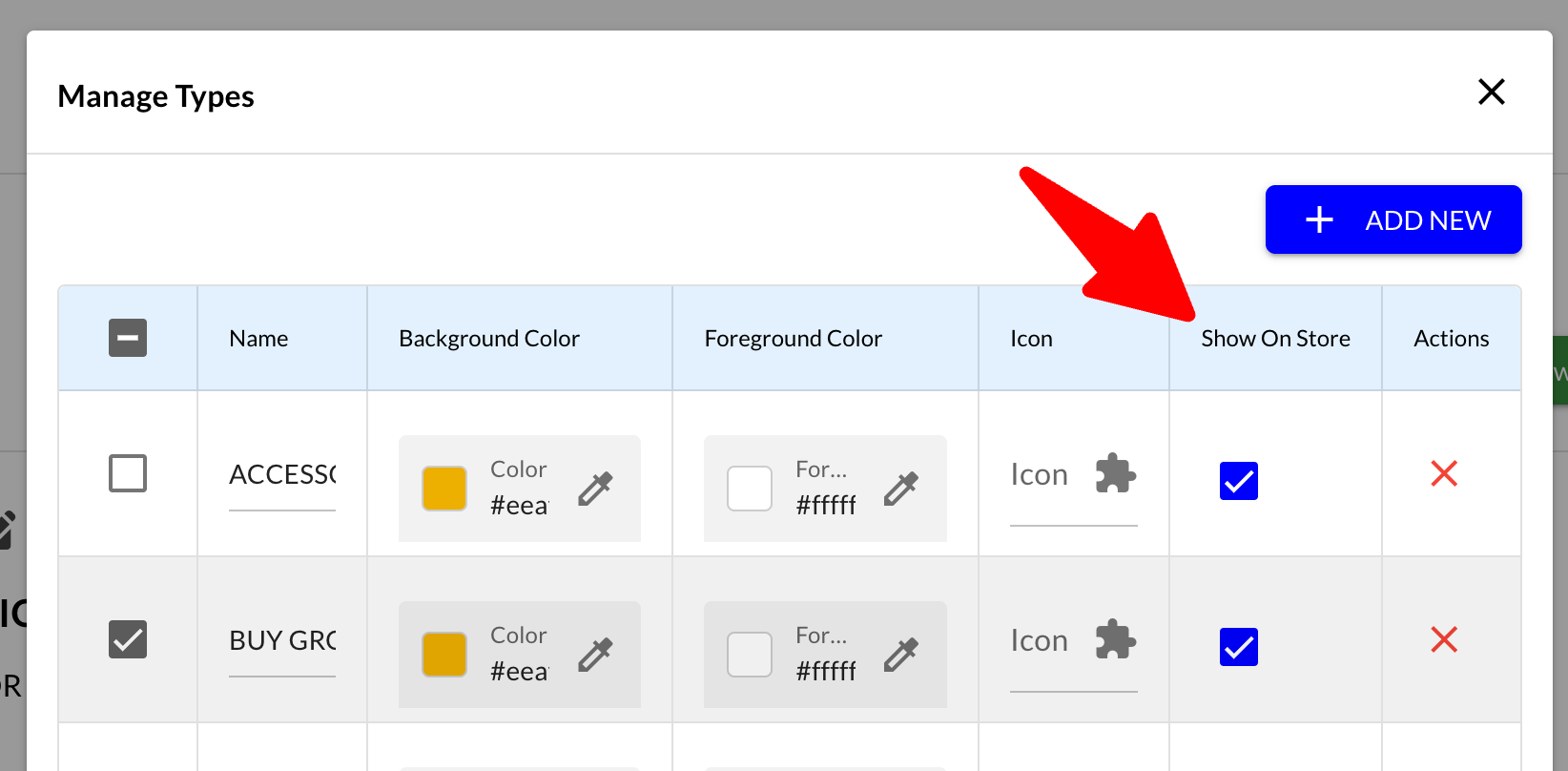
  • Tag and Type Management

    • Support for uploading tags and types during store import.

    • Ability to designate which tags and types appear on the frontend map.


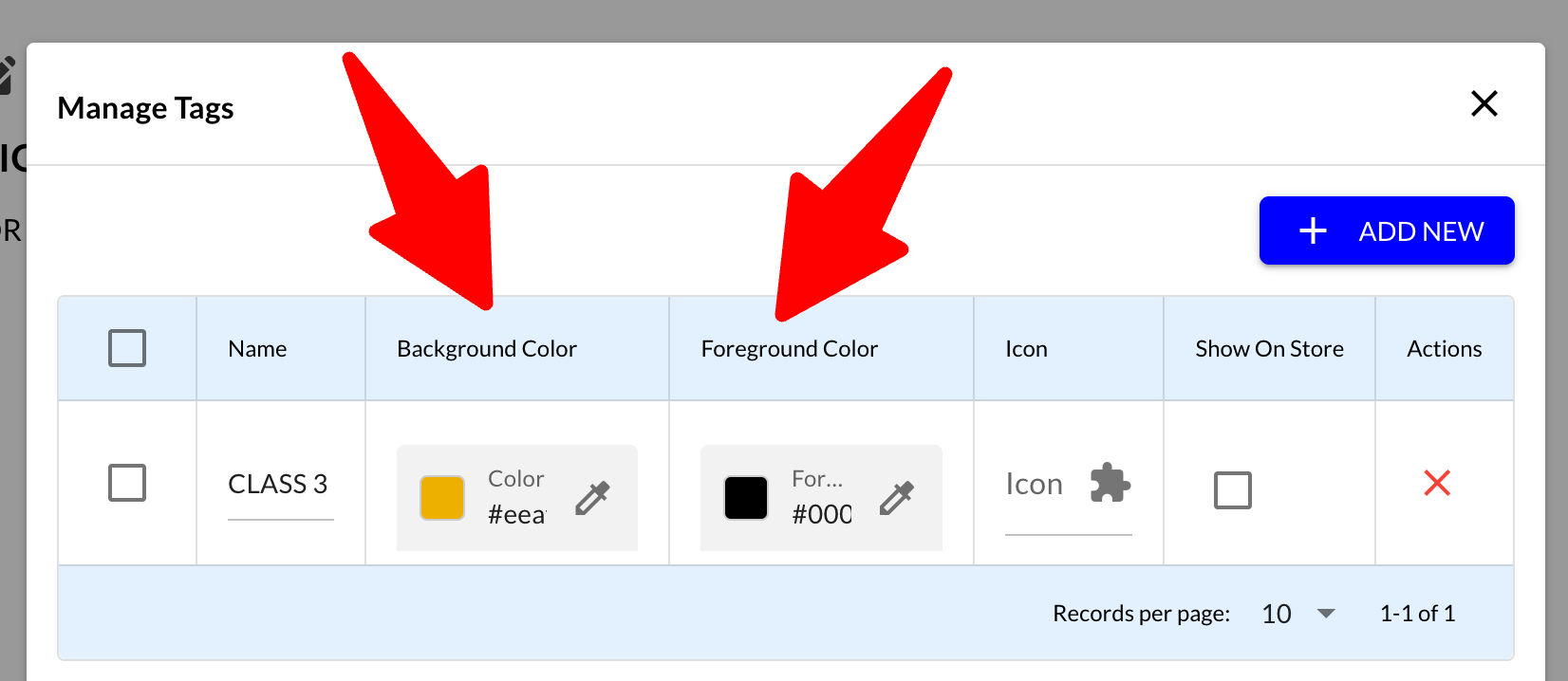
  • Tag Styling Options

    • New setting to change the foreground color of store tags.

    • Full control over background and foreground colors for each store locator instance.


  • UI Display Controls

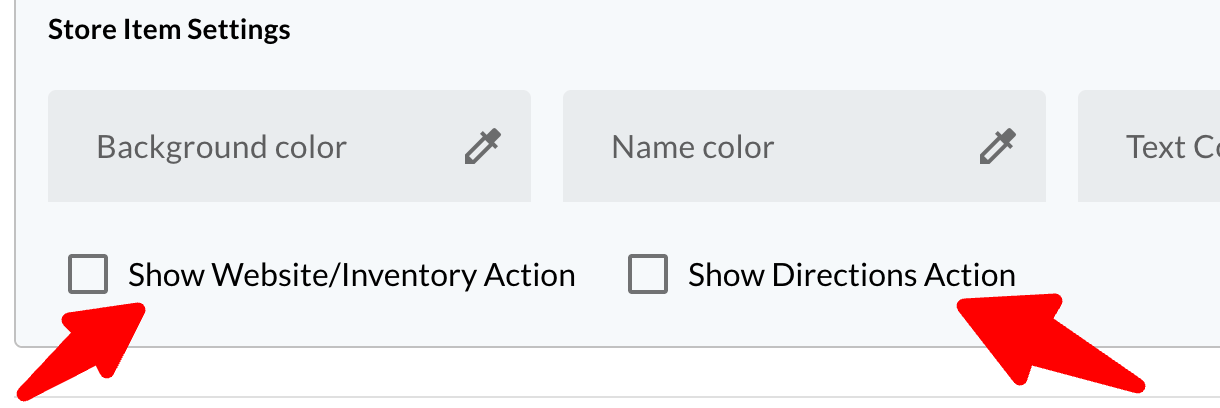
    • Added ability to hide the directions action button

    • New option to enable/disable the website link shown on the map.


  • Filtering and Visibility

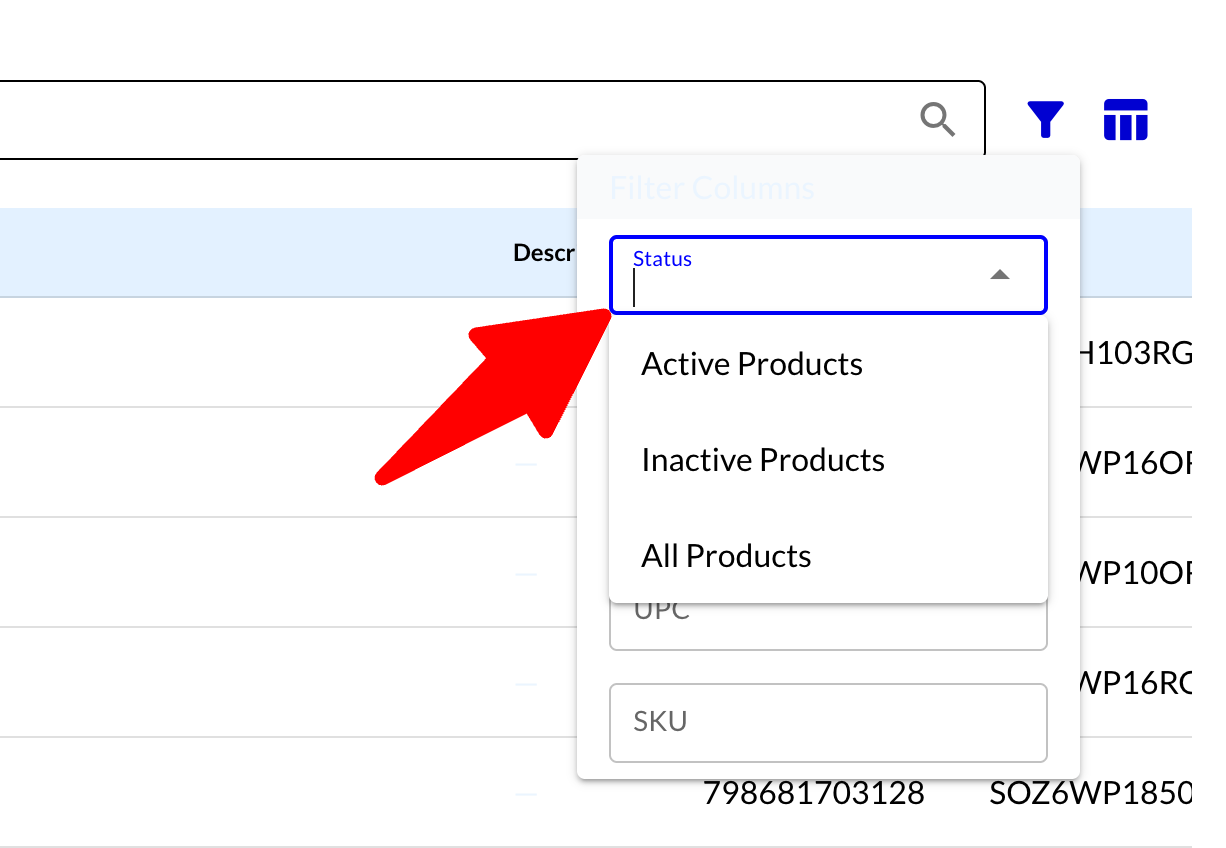
    • Introduced filter to easily toggle between active and inactive products.

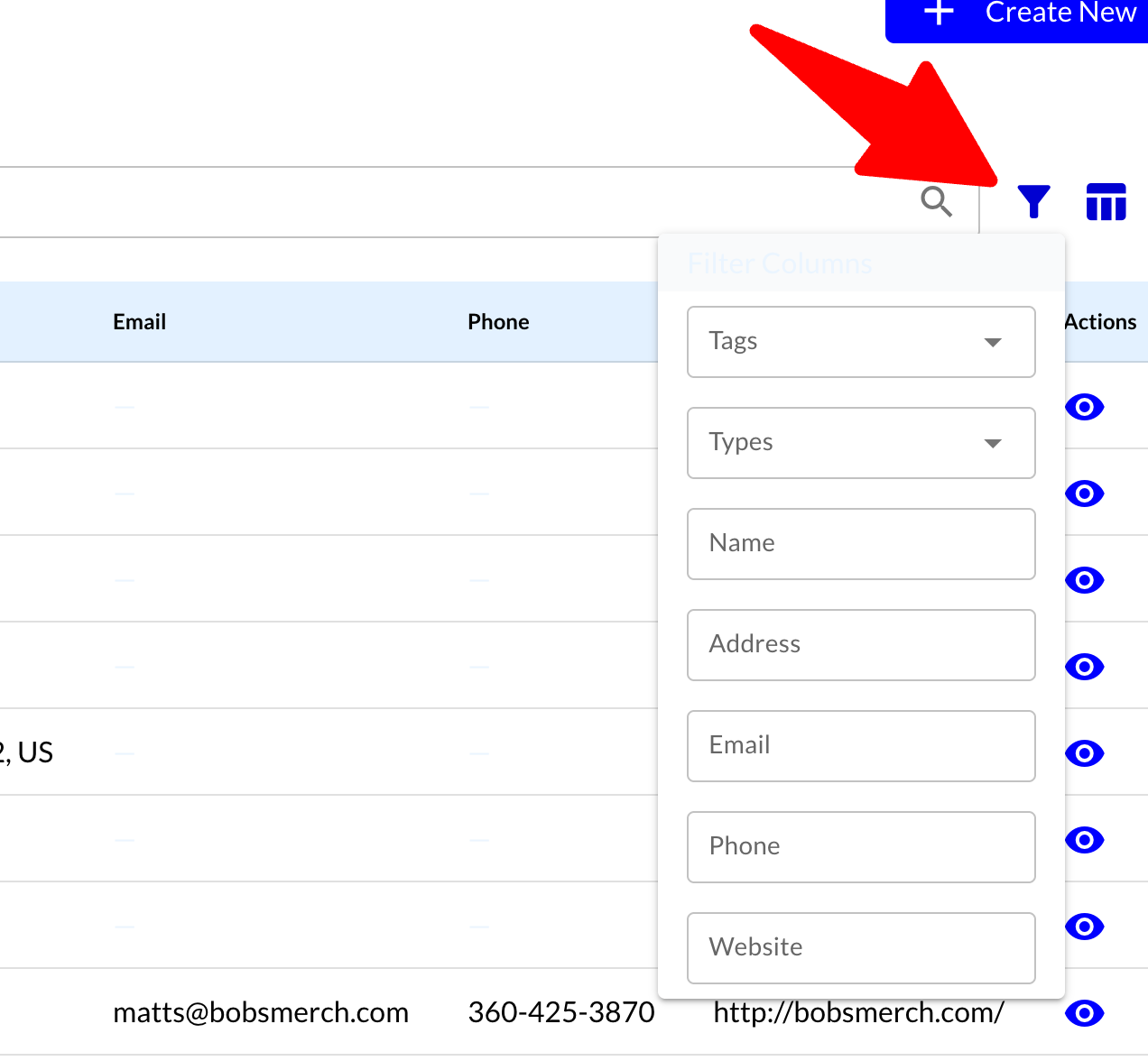
    • Enhanced filters for stores


  • Map Interaction Enhancements

    • Desktop users can now zoom with mouse wheel.

    • Zoom in/out buttons (+ / -) are now available for improved usability.

  • Fallback Location Support

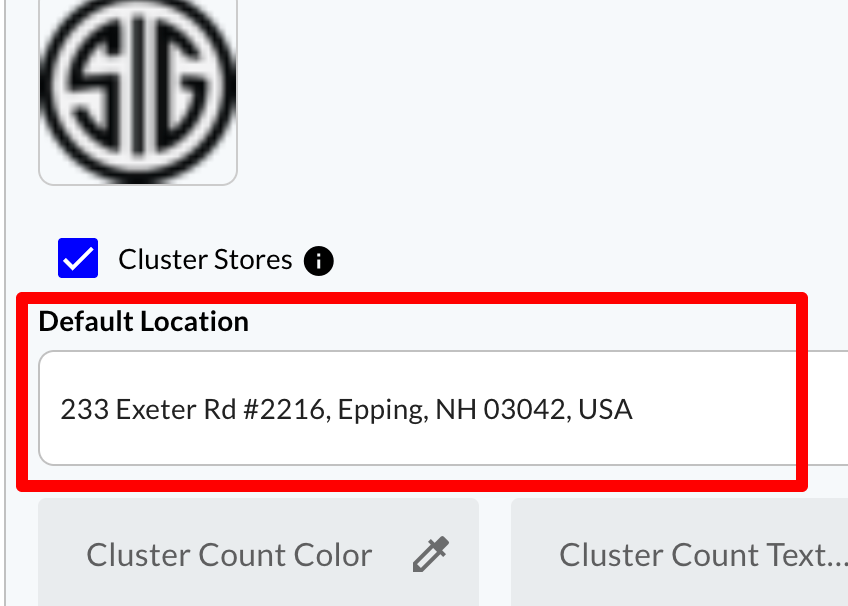
    • When location services are unavailable, the map now loads with a configurable default location.


  • External Product Image Display

    • Store locator will now display product photos passed from the originating website, even if the item is not in the catalog.


Bug Fixes & Improvements

  • Use Current Location Behavior

    • Fixed issue where “Use Current Location” would incorrectly provide directions instead of localizing results.

    • “Use Current Location” is now a toggle to clearly indicate that current location is used.

    • Store list now filters correctly after using “Use Current Location” without requiring an extra click on the magnifying glass.

  • Store Marker Color Updates

    • Resolved issue where not all store markers updated color consistently.

  • Map Load Performance

    • Significantly improved map load speed.

NewImprovedFixed