Changelog

Follow new updates and improvements to BFG.

March 24th, 2026

New Features

Added Webhook History with Status and Retry

Added webhook history tracking to provide visibility into delivery status, log delivery details, and allow users to retry failed webhooks for improved monitoring and reliability.

Enhancements

Added Configurable Information Message in Product Dealer Locator

Introduced a configurable information message in the Product Dealer Locator that allows brands to display important notices to customers, such as inventory update frequency or instructions to call for confirmation.

  • Information Message Configuration

    In Settings > Store Locator > Product Locator > Edit, manufacturers can manage and adjust the message fields according to their preferences.

  • Information Message Display

    The information message appears on the Product Dealer Locator for customers when enabled in the configuration.

Enhanced Product Import Report

Improved the Product Import Report to provide detailed, field-level information. The updated report allows users to review imported product data against existing system data, making it easier to identify missing, mismatched, or updated information.

Enhanced Order Status Automation

Enhanced order status automation that updates the order status as items progress through the shipping process. When the shipment status changes to Pre-Transit, In Transit, or Out for Delivery, the order status will automatically update to Shipped. Once the shipment status changes to Delivered, the order will automatically be marked as Completed.

Resolved Issues

  • Fixed backorder products with available inventory incorrectly showing “Pay Upfront,” ensuring payment timing now follows the configured settings.

March 17th, 2026

Enhancements

Direct Ordering Enabled for Distributors

Enhanced company profile configuration to include Direct Ordering Setup for distributor companies, enabling access to address verification, payment method, and shipping settings for direct order management.

Dropship Selection Aligned with Company and Product Settings

Dropship shipping options are now conditionally available based on configuration. Retailers can select applicable dropship methods at checkout only when both the “Allow Dropship” setting in the Company Profile and the “Allow Dropshipping” setting on the product are enabled.

Resolved Issues

  • Fixed an issue where dropship prices and shipping fees were inconsistent between checkout and order details.

  • Fixed an issue allowing distributors to place orders with themselves. Self-distributors are now excluded from distributor lists.

  • Fixed an issue where manufacturer payment terms were incorrectly displayed for stores no longer associated with the manufacturer. Payment terms are now limited to actively associated stores.

  • Fixed an issue where the Show Stock Availability setting on store records did not properly hide inventory details. When the setting is turned off, the store locator now displays only “Call for Availability,” and no longer shows stock levels or inventory date information.

March 10th, 2026

New Feature

Enhanced Checkout with Multiple Shipping Options

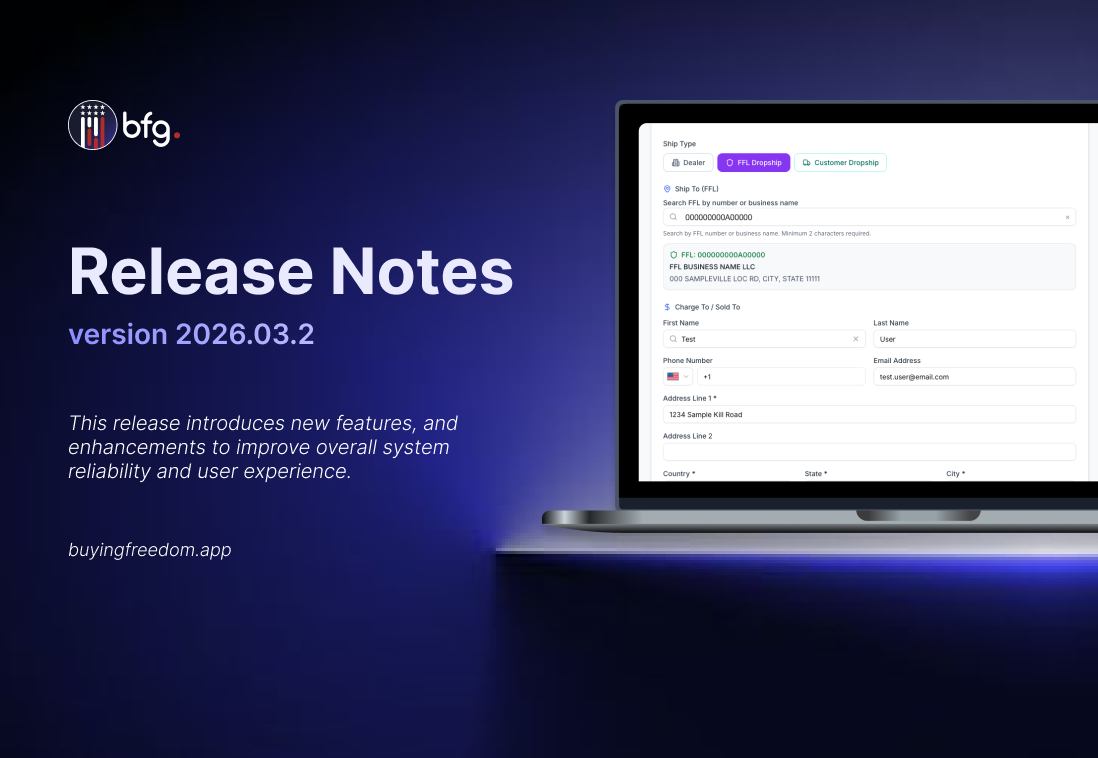
Checkout now supports multiple order ship type. Buyers can select Dealer, FFL Dropship, or Customer Dropship at checkout, allowing orders to ship to the buyer’s business, a selected FFL, or directly to a customer.

  • FFL Dropship

    Buyers can ship orders directly to a selected Federal Firearms License (FFL) dealer during checkout.

  • Customer Dropship

    Buyers can ship orders directly to customers by providing the shipping address at checkout.

Introduced Brand-Level Preorder and Backorder Limits

Manufacturers can now set brand-level preorder and backorder limits in Company Profile settings. The system enforces these limits during order creation and blocks orders that exceed them, counting only active orders toward the limit.

Distributor Access and Platform Features

Distributors can access the platform to manage orders, view inventory, and track transactions on behalf of the brands they represent, streamlining distribution workflows.

  • Distributor Dashboard with Live Metrics

    The dashboard now shows real, API-driven metrics for catalog and order fulfillment, reflecting the distributor’s role.

  • Products

    Distributors can now edit select product details and settings, while core product information remains managed by the manufacturer.

  • Import Products

    Distributors can now import products into their catalog, streamlining catalog management and order fulfillment.

  • Import Inventories

    Distributors can now import inventory data to keep stock levels up to date.

  • Direct Ordering Setup

    Distributors can now set up Direct Ordering by completing required details, including address verification, payment methods, and shipping settings.

  • Received Orders
    Distributors can view and manage received orders, track order status, monitor inventory impact.

  • Order Settings
    Distributors can configure order settings, including payment settings, minimum order value, store settings, and product settings to streamline order management.

  • Shop

    Distributors can add items via import with set pricing, allowing customers to browse and purchase available products.

  • Add to Cart via Distributor (Retailer View)

    Retailers can add products to their cart directly from the distributor’s catalog, review selections, and proceed with orders efficiently.

Introduced Downloadable Paid Charges & Transactions Report

BFG now provides a report to view paid charges and transactions. Users can download reports from the Orders > Received Orders.

  • Users can now download transaction reports directly from the Received Orders table. Reports can be generated using applied filters, by selecting multiple orders, or by downloading all available transactions in the list.

  • Users can now download a report for a single transaction directly from the Order Details page.

Manage Product Quantity Restrictions with Import and Export Functionality

Users can now import and export in Order Settings > Product Settings to manage quantity restrictions in bulk. Imports create or update settings by UPC, skip invalid rows, and provide a summary of records created, updated, or skipped.

New APIs for Managing Distributor Products

A new set of APIs is now available to support product management via external integrations. These endpoints enable you to list, create, retrieve, and update product records programmatically.

  • List Distributor Products: List all products with details and distributor prices.

    GET /api/products/distributor

  • Get Distributor Product: Retrieve a specific distributor product by UPC

    GET /api/products/distributor/{upc}

  • Create Distributor Product: Create or lookup a product using UPC and manufacturer info.

    POST /api/products/distributor

  • Update Distributor Product: Edit a product by sending updated fields in the request body.

    PUT /api/products/distributor/{upc}

  • Remove Product from Distributor Catalog: Delete a specific distributor’s product record.

    DELETE /products/distributor/{distributorProduct}

  • Bulk Add / Update Distributor Products: Batch add or update distributor products.

    POST /products/distributor/bulk

  • Bulk Remove Distributor Products: Batch remove distributor products.

    DELETE /products/distributor/bulk

New APIs for Managing Distributor Product Inventory

A new set of APIs is now available to manage distributor product inventory via external integrations. These endpoints allow you to list, retrieve, and update inventory quantities programmatically.

  • List Distributor Inventory: List inventory quantities for all distributor products.

    GET /api/inventory/distributor/{company}

  • Update Distributor Inventory: Update inventory for one distributor product.

    PUT /api/inventory/distributor/{company}/{upc}

  • Bulk Update Distributor Inventory: Batch update product inventory.

    PUT /api/inventory/distributor/{company}

  • Export Distributor Inventory: Export distributor catalog inventory as CSV.

    GET /api/inventory/distributor/{company}/export

March 4th, 2026

New Feature

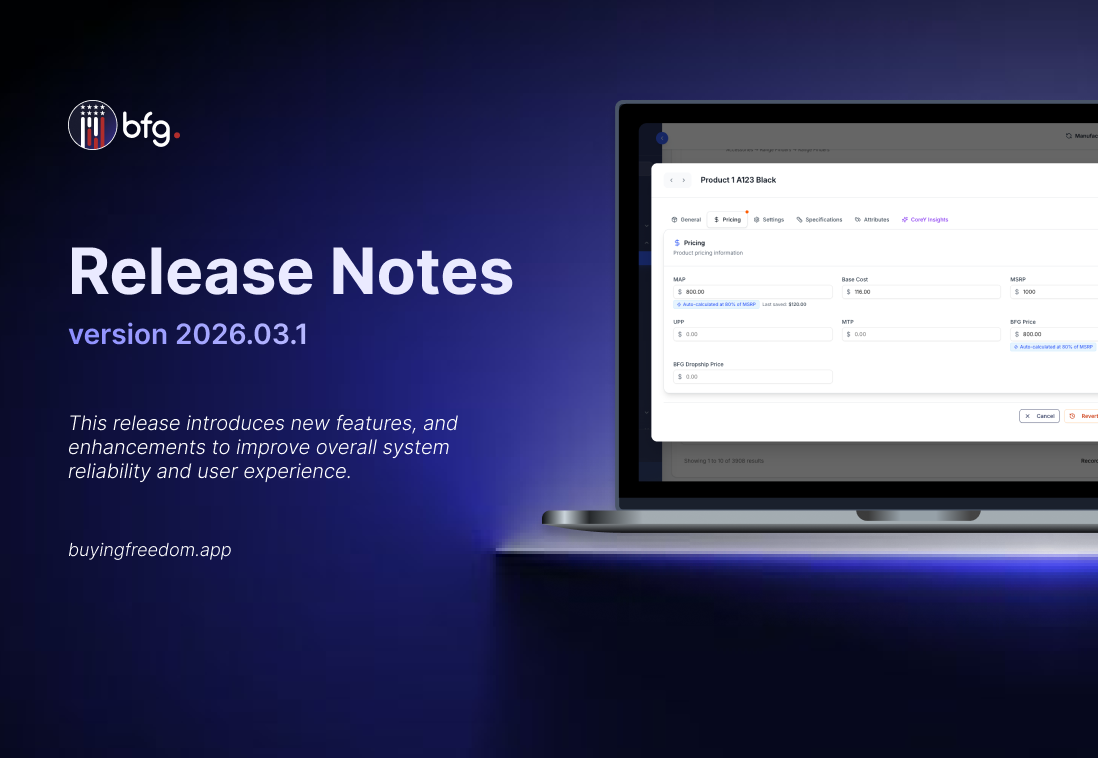
Automatic MAP and BFG Price Calculation from MSRP Configuration

Pricing calculations have been improved with the introduction of MSRP Auto Pricing, allowing Minimum Advertised Price (MAP) and BFG Prices to be automatically computed as a percentage of Manufacturer’s Suggested Retail Price (MSRP).

  • MAP and BFG Price can now be automatically calculated as a percentage of MSRP

    This simplifies pricing management by allowing both prices to be set relative to the Manufacturer’s Suggested Retail Price (MSRP), reducing manual calculations while still allowing manual overrides when needed.

  • MSRP Auto Pricing Configuration in Product Settings

    Product Settings now include MSRP Auto Pricing, allowing manufacturers to set a percentage for automatically calculating Minimum Advertised Price (MAP) and BFG prices.

Expanded Dropship Order Capabilities for Unit Ordering, Pricing, and Shipping

Dropship orders now support flexible quantities, pricing, and shipping. Dropship orders can bypass standard minimum order quantity requirements, allowing single-unit shipments. Separate shipping charges can be applied to reflect dropship fulfillment costs, and optional dropship-specific pricing allows products to have different prices when ordered as dropship.

  • BFG Dropship Price

    Allows brands to set a specific price for products when fulfilled via dropshipping.

  • Dropshipping Shipping Fees

    Brands can configure separate shipping fee charges for dropship orders, ensuring that dropship shipping rates are distinct from standard rates.

  • Dropship Order Bypass Quantity

    This setting allows dropship orders to bypass standard minimum order quantity rules, enabling single-unit fulfillment while maintaining flexibility in order management.

February 24th, 2026

New Feature

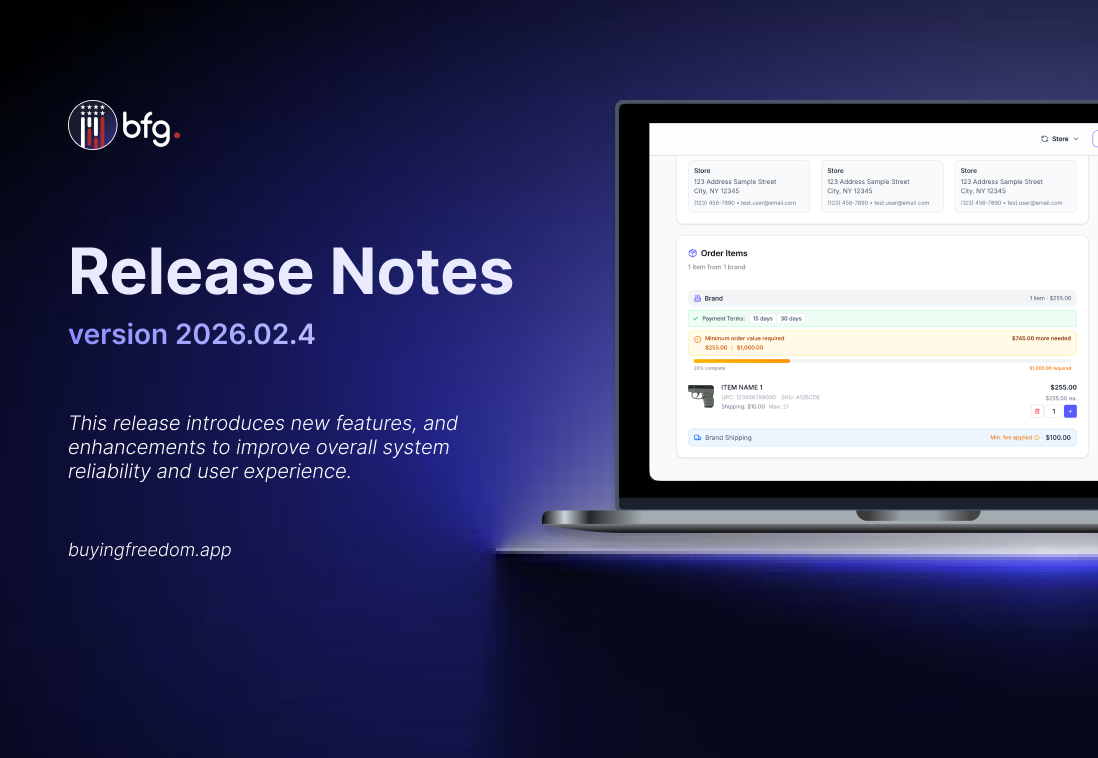
Enforce Brand Minimum Order Value

Brands can now define a Minimum Order Value to enforce a required cart total before the checkout process. This brand-level setting is configured in the Orders > Order Settings page and functions independently of any product-level minimum order quantities. If an order does not meet the MOV, it cannot be placed, and shoppers will see a clear validation message indicating that the minimum amount has not been reached.

Expected Ship Dates Improve Order Transparency

Back-order and Pre-order products now require an expected ship date to improve delivery transparency and accountability. Brands must enter a ship date before listing items as back-order or pre-order, and this date is displayed to buyers on the product page. The system tracks shipping performance against the expected date and sends notifications to the seller, buyer, and platform if the date is missed.

Inventory Staleness Tracking

Brands can now monitor products that have not been updated through Inventory Staleness tracking. A configurable Inventory Staleness Threshold (default 10 days) defines when inventory is considered stale. Notifications for stale inventory are sent automatically via email and in-app to users associated with brands that have Direct Ordering enabled. Notifications highlight affected products and provide a direct link to the Brand Inventory page for updates. Stale inventory is also indicated in the shop list next to the inventory count.

CoreForce Integration Now Available

Retailers can now set up an automated CoreForce integration from the new Connected Apps menu under Integration Settings > Connected Apps. Selecting Setup Integration initiates the connection, creates the required webhook, and completes setup automatically.

Enhancements

Simplified FFL Access for Retailers and Manufacturers

Retailers can now access Federal Firearms License (FFL) documents directly from their orders, and manufacturers can upload FFL documents during the onboarding process. Retailers can download the FFL from the Brand Information section within Order Details for brands they have ordered from. During Manufacturer Direct Ordering onboarding, manufacturers can upload their FFL, which is automatically linked to the brand and made available on all related orders.

Added new filter parameter for the Products endpoint

The Products endpoint now supports a new query parameter, filter[manufacturer_deactivated], which allows users to filter and retrieve products that have been deactivated by the manufacturer; by default, the endpoint returns both active and manufacturer-deactivated products unless this filter is explicitly applied.

  • filter[manufacturer_deactivated]=only

    Returns only products where deactivated_at IS NOT NULL, indicating that the product has been deactivated by the manufacturer.

  • filter[manufacturer_deactivated]=without

    Returns only products where deactivated_at IS NULL, indicating that the product is active and has not been deactivated by the manufacturer.

February 18th, 2026

New Feature

Introducing the New Shop Page

Introducing the new Shop page, which will replace the Create Order page, enhanced for easier navigation, better product visibility, and seamless sharing. Search and filter options are now located on the left-hand side to keep products front and center. A Shop button near the cart provides one-click access to the Shop page.

  • Featured Products

    Featured Products, selected by manufacturers, are now prominently displayed in a carousel for users to easily browse and discover.

  • Product pages

    Users can now share product pages via URL. Non-registered users will be prompted to log in or create an account before completing a purchase.

Enhanced Order Management with Cancel, Refund, and Charge

Admins can cancel orders, issue refunds, and charge items directly from the order details page.

  • Charge

    Items can now be charged for payment directly, allowing transactions to be processed quickly and securely.

  • Refund

    Refunds can be processed per item or for the entire order, but cannot exceed the original payment amount. They are blocked for shipped orders.

  • Cancel

    Cancelling an order automatically restores inventory, marks the order as Cancelled, and excludes it from reports.

Enhancements

Enhanced Onboarding Workflow with Automated Emails and Error Alerts

The onboarding acceptance email process has been automated to streamline workflow and reduce manual effort. User invitation emails are now sent automatically once company registration is completed. If the company is not yet registered in the BFG platform, a new store or brand is created and associated with the FFL provided. Additionally, the system provides clear error messages during onboarding, ensuring users are informed and can take corrective action.

Enhanced Order Settings for Store and Product Configuration

Orders Settings are now consolidated into a single menu for easier configuration and navigation, with an inline info message in the Direct Ordering Configuration tab clarifying that when both Allowed Stores and Restricted Stores are turned off, products are visible to all stores by default.

  • Store Settings

    Manage all store-related ordering controls in one place, including Direct Ordering Settings, Allowed Stores, and Restricted Stores.

  • Product Settings

    Configure product-related ordering rules in one place, including Product Restriction Settings and Quantity Restrictions.

Enhanced FFL Match Filters with Clear Status Indicators

FFL Address Match and FFL Number Match filters have been updated to eliminate blank values. Non-matching or non-comparable records now return FALSE with a clear reason, and the FFL Address Match Confidence % and FFL Number Match Confidence % fields display 0% when there is no record to compare, ensuring all records provide clear and actionable information.

February 10th, 2026

Improved

New Feature

Manufacturer Inventory Import Support

Manufacturers can now bulk update inventory for their own products through inventory import. This enhancement adds support for uploading inventory files to update manufacturer-owned products at scale. Import results and errors are displayed in the Import Report for visibility.

Enhancements

Product Import Supports Additional Attributes

Product Import now supports additional product attributes, enabling more complete product setup during import and reducing the need for manual updates. You can now import products, specifying whether they are serialized and allowed for backorder, preorder, or dropshipping, and including initial inventory quantity, minimum order quantity, as well as short and detailed descriptions.

Product Import Supports Deactivation and Reactivation

Product Import now allows automatic reactivation and deactivation of existing products listed in the import file. The following features are included:

  • Reactivate Existing Deactivated Products that are not listed on the Import file

    When the “Reactivate existing deactivated products not listed in the import file” toggle is on, products included in the import are automatically reactivated if previously deactivated.

  • Deactivate Existing Products that are not listed on the Import file

    When the “Deactivate Existing Products that are not listed on the Import file” toggle is on, products not included in the import file are automatically deactivated.

February 3rd, 2026

Improved

Enhancements

Retailer-Managed Indicator for Candidate Stores

The Retailer-Managed icon is now shown for Candidate Stores marked as retailer-managed, using the same icon and tooltip as standard Stores. Non-retailer-managed Candidate Stores remain without an icon, ensuring consistent visibility of management ownership across all store.

Carrier Selection Added for Shipments

When creating a shipment for an order, users can now select a carrier before submitting. This helps ensure shipment details are more accurate and is intended to help mitigate tracking number issues syncing to NetSuite.

Import Products Supports Multiple Images

Import Products now supports importing multiple image URLs per product, allowing products to display more than one image. All valid image URLs included in the import are associated with the product and display correctly in the product detail view. Multiple images can be imported using a delimited list within a single column, including the pipe (|) separator, or through multiple image URL columns (e.g., Image URL 1 | Image URL 2 | Image URL 3).

Get Products API Adds Support for Dropship, Backorder, and Pre-Order Filters

The Get Products API now supports optional filters for allow_dropship, allow_backorder, and pre_order, enabling you to return only products that meet these criteria. These filters work alongside existing query parameters for more flexible product imports. For full details, see the API Documentation.

Enhanced Store Import Matching and Address Visibility

The Store Import Report now provides improved address visibility and clearer validation details by adding new Global Address and FFL Address columns, and introducing a Match Confidence (%) column that displays a match score to help users quickly assess how closely imported records align with existing BFG data.

January 27th, 2026

Enhancements

Added Address Field to User Registration Form

The registration form now includes an address field, allowing users to provide complete and accurate address information during signup, with validation in place to handle missing or invalid entries.

Enhanced Retailer Registration Experience

The retailer registration experience has been improved to make FFL entry faster and more intuitive by moving the FFL input field to the top of the form, expanding FFL format support to accept values with dashes, and setting the default phone number country code to +1 to reduce manual input and improve form completion efficiency.

Order placement now requires a configured payment account

Orders can no longer proceed when a retailer does not have a payment account configured. This ensures payments are properly set up before orders are submitted and helps prevent failed or incomplete transactions.

Address and FFL Comparison Columns Added to Store Import Report

The Store Import Report has been enhanced with new comparison result columns that automatically validate imported address and FFL data against existing BFG records. These indicators show whether key fields match, making discrepancies easier to identify and reducing the need for manual validation during store import reviews.

January 20th, 2026

New Feature

In-Order Messaging for Buyers and Sellers

Orders now include built-in messaging, allowing buyers and sellers to communicate directly within each order. The feature allows exchanging messages, sharing files, and viewing the full conversation history in one place, with notifications for new messages. All communication stays attached to the order, making it easier to track discussions, reference past agreements, and respond quickly without relying on external emails or calls.

Flexible Payment Terms at Checkout

Customers can now choose flexible payment terms at checkout. In addition to paying in full upfront, orders can be placed with agreed day terms, allowing the full amount to be paid by a specified due date. This provides greater flexibility while maintaining clear payment expectations.

Enhancements

Added Visual Indicator for Retailer-Managed Stores

A new visual indicator has been added to clearly identify retailer-managed stores, making store management ownership easier to recognize. Stores now display an icon with a tooltip indicating that the store is managed by the retailer.

Retailer-Managed Status Filter Added to Stores

Stores can now be filtered by retailer-managed status, making it easier to review and manage store lists.

Enhanced Quick Actions Visibility in Top Section

The Quick Actions component has been moved to the top banner on both desktop and mobile, improving visibility and accessibility.

Enhanced Product Discovery with Badges

The order catalog now includes Featured and New product badges to improve product discovery. Manufacturers can mark products as Featured to show them at the top of the catalog with a gold star badge. In contrast, products published within the last 10 days automatically receive a purple “New” badge. Featured products appear first, followed by new arrivals, making it easier for customers to spot priority and recently added items.

Resolved Issues

  • Fixed an issue where store names were not appearing in the Store Locator.

  • Fixed an issue where the contact number icon was displayed when the field was empty and now only appears when a contact number exists.